Laptop Repair in Goa: What to Check Before You Pay for a Repair
From a laptop that suddenly stops charging to one with a broken hinge or damaged body, knowing what to check before approving a repair can save you time, money and your data.
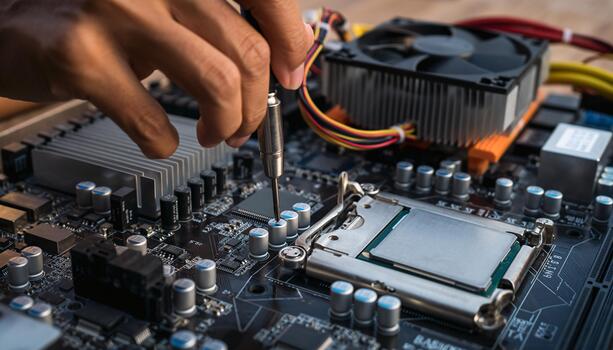
A laptop rarely chooses a convenient time to stop working.
One day it is running normally. The next, it won’t turn on, the battery isn’t charging, the screen is blank, or everything has become so slow that even opening a browser feels like a task.
Sometimes the problem isn’t even inside the laptop. A broken hinge, cracked chassis, damaged palm rest or loose display frame can make an otherwise working laptop difficult to use.
The first reaction is often to search for a repair shop and ask, “How much will it cost?”
That is understandable. But the better first question is: What is actually wrong with the laptop?
A proper diagnosis can make the difference between a sensible repair and spending money on a problem that was never properly identified.
Start with the symptoms
Different symptoms can point to very different problems.
A laptop that does not power on could have an issue with the charger, charging port, battery, power circuit or motherboard. A laptop that turns on but shows nothing could have a display, cable, memory or graphics-related issue.
A slow laptop may not need to be replaced either. It could benefit from an SSD upgrade, additional RAM, software cleanup or a fresh operating system installation, depending on the hardware.
Before approving a repair, consider:
- Does it power on?
- Does it charge normally?
- Is the display working?
- Is the laptop unusually slow?
- Does it overheat or shut down?
- Are the keyboard, touchpad and ports working?
- Is the problem with Windows or a particular application?
- Has it been dropped, exposed to liquid or physically damaged?
- Did the problem appear after a software update or hardware change?
These details help a technician narrow down the cause instead of simply replacing parts.
A slow laptop may not need replacing
One of the most common reasons people bring older laptops for repair is poor performance.
Sometimes the hardware is still perfectly usable.
An SSD upgrade, additional RAM, a clean operating system installation or removal of unnecessary software can make a significant difference, depending on the laptop and its configuration.
Replacing an older mechanical hard drive with an SSD, for example, can significantly improve boot times and everyday responsiveness.
But upgrades need to be compatible with the specific laptop. Not every laptop supports additional RAM, and some newer models have components that are soldered to the motherboard.
Check compatibility before buying an upgrade.
Laptop body and chassis repair
Not every laptop problem is electronic.
Hinges can become stiff or break. Palm rests can crack. Bottom covers can get damaged. Display bezels can loosen, and repeated use can eventually affect the physical structure of the laptop.
Depending on the model and extent of the damage, the solution may involve body or chassis repair, replacement of the damaged component, or custom fabrication and strengthening where a suitable replacement part is difficult to source.
This can be particularly useful for older or less-common laptop models where original body components are no longer readily available.
Before approving the work, ask:
- Can the damaged component be repaired?
- Is an original replacement available?
- Is a compatible replacement available?
- Would fabrication be practical for this model?
- Will the repair affect the laptop’s hinges, display alignment or structural strength?
A good repair should restore the laptop’s usability without creating another problem elsewhere.
Battery and charging problems
Battery issues are another common reason for a repair visit.
A battery that drains quickly is different from a laptop that refuses to charge. The cause could be the battery itself, the charger, charging port or internal power circuitry.
If the laptop works normally on the charger but shuts down immediately when unplugged, the battery may be reaching the end of its useful life.
If it does not charge at all, the diagnosis needs to go further.
Don’t replace the battery simply because the laptop isn’t charging. Find out why it isn’t charging first.
Screen, keyboard and other hardware problems
Physical damage can be easier to identify, but the underlying repair can vary considerably.
A cracked screen may require a display replacement. A keyboard problem could be caused by the keyboard itself, liquid damage or an underlying connection issue.
A damaged charging port may require anything from a component replacement to board-level repair, depending on the laptop design.
This is why a proper inspection matters before a repair price is confirmed.
What about overheating?
If your laptop becomes unusually hot, the fan runs constantly or the system shuts down under load, don’t ignore it.
Dust buildup, blocked ventilation, a failing fan, dried thermal compound or demanding workloads can all contribute to higher temperatures.
Regular cleaning and maintenance can help, but the correct solution depends on the cause.
An overheating laptop that continues to be used heavily can eventually develop more serious hardware problems.
Protect your data before the repair
This is one of the most important things to consider.
Before handing over a laptop for repair, make sure important files are backed up where possible.
Documents, photographs, business files, browser data and other important information may be more valuable than the laptop itself.
If the laptop is still accessible, take a backup before approving work. If it is not accessible, tell the technician that data preservation is important before any storage-related work is carried out.
A repair should solve the hardware or software problem without creating a new data problem.
Repair or replace?
Not every laptop is worth repairing — but not every older laptop needs replacing either.
Consider:
- The age and condition of the laptop
- The cost of the repair
- Availability and cost of replacement parts
- Whether the laptop can be upgraded
- Your actual performance requirements
- The cost of a suitable replacement
A battery replacement, body repair or SSD upgrade can make sense on an otherwise good laptop. A major motherboard repair on a very old machine may tell a different story.
The right decision depends on the condition and value of the laptop, not simply its age.
What to ask before approving a repair
Before giving the go-ahead, ask a few straightforward questions.
What is the actual fault?
You should understand what has been diagnosed.
What needs to be repaired or replaced?
Ask whether the proposed work is necessary or optional.
Is the replacement part available?
This is particularly important for displays, batteries, hinges, keyboards and body components.
What is the total cost?
Clarify parts, labour and any applicable charges.
What happens to my data?
Make sure you understand whether your data will be preserved during the repair.
Is there a warranty on the repair or replacement part?
Get the terms clearly explained before proceeding.
When professional diagnosis matters
Some problems are simple enough to troubleshoot at home. Others are not.
Opening a laptop without the right tools or experience can cause additional damage, particularly with delicate connectors, batteries, hinges and internal components.
If the laptop has suffered liquid damage, physical damage, charging problems, motherboard faults or repeated shutdowns, professional diagnosis is usually the safer starting point.
The bottom line
A laptop repair should begin with diagnosis, not guesswork.
The cheapest repair is not necessarily the right repair, and replacing a laptop is not always the right answer either.
Understand the fault, protect your data, compare the repair cost with the value of the machine, and then decide whether to repair, upgrade or replace it.
From performance issues and SSD or RAM upgrades to screens, batteries, charging problems, hinges and laptop body or chassis repair, the right solution starts with understanding what actually needs fixing.
If your laptop is giving you trouble, start with the problem — not the price.