Computer Store in Goa: How to Choose the Right Laptop or Desktop
Choosing the right laptop or desktop starts with understanding your workload, not simply comparing specifications. Learn what to consider when buying a computer for business, home, study and professional use in Goa.
Buying a laptop or desktop computer is an important decision, whether you are purchasing a system for yourself, setting up a home office or equipping an entire business.
With so many brands, processors, memory configurations, storage options and price points available, it can be difficult to know what you actually need.
The common approach is to start by comparing specifications.
But there is a better place to start:
What will you actually use the computer for?
A laptop used for email, web browsing and office applications does not need the same configuration as a workstation used for engineering, design or professional video editing. Similarly, a business purchasing multiple computers needs to consider reliability, warranty, deployment and long-term support in addition to hardware specifications.
If you are looking for a computer store in Goa, understanding these differences can help you make a more informed purchase.
At Simplatec, we help businesses and individuals evaluate their requirements and choose suitable laptops, desktops, workstations, accessories and related IT solutions.
Start With Your Requirement, Not the Brand
One of the easiest mistakes when buying a computer is choosing a brand or model first and then trying to fit your requirements around it.
Instead, start by identifying what the computer needs to do.
Ask yourself:
- What applications will I use?
- How many hours a day will I use the computer?
- Do I need portability?
- Will I connect one or more external monitors?
- Will I work with large files?
- Do I use specialised software?
- Will I need graphics performance?
- How long do I expect to keep the computer?
- Is this for personal use or business use?
For example, a computer used primarily for email, documents, accounting software, browser-based applications and video meetings may have very different requirements from one used for CAD, 3D modelling, software development or video production.
The goal is not to buy the most powerful computer. The goal is to buy the right computer for the work.
Laptop or Desktop: Which Should You Choose?
The first major decision is usually whether you need a laptop or a desktop.
Neither is universally better. Each is designed around different priorities.
When a laptop makes sense
A laptop is a practical choice when you need to:
- Work from different locations
- Travel frequently
- Move between home and office
- Attend meetings
- Work remotely
- Save desk space
- Operate without a permanent workstation
A laptop combines the computer, display, keyboard, touchpad and battery into one portable system.
For professionals, students and users who move around frequently, that convenience can be more valuable than maximum performance.
When a desktop makes sense
A desktop can be a better option when portability isn’t important and you want greater flexibility.
Consider a desktop if you need:
- Higher sustained performance
- Larger displays
- Multiple monitors
- Greater upgrade flexibility
- Dedicated graphics
- Multiple storage drives
- A custom configuration
- A workstation for demanding applications
Desktops can also be a practical choice for offices where computers remain at fixed workstations.
The simple question
Ask yourself:
Do I need to take the computer with me?
If yes, start with laptops.
If no, compare desktops as well.
Choosing the Right Processor
The processor is one of the most important components of a computer, but choosing one shouldn’t be based purely on the model name.
Consider:
- Processor generation
- Performance class
- Number of cores and threads
- Power efficiency
- Application requirements
- Expected workload
- Integrated graphics capability
- Whether dedicated graphics are required
For everyday productivity, a modern mid-range processor may provide plenty of performance.
More demanding workloads may benefit from a higher-performance processor.
The important point is to avoid both extremes:
Under-specifying the computer can lead to poor performance and an early replacement.
Over-specifying the computer can mean spending money on performance that your workload never uses.
A good computer recommendation finds the balance between the two.
How Much RAM Do You Need?
RAM affects how comfortably your computer handles multiple applications and tasks simultaneously.
A typical office user may have several browser tabs, email, documents, spreadsheets, video calls and business applications open at the same time.
A professional working with large datasets, virtual machines, development environments, design software or video editing may require substantially more memory.
When choosing RAM, consider:
- Your current workload
- The applications you use
- Your multitasking habits
- Whether the memory can be upgraded later
Also check whether the RAM is upgradeable or soldered, particularly when buying a laptop that you expect to use for several years.
SSD Storage: Capacity and Speed Both Matter
Storage affects both how much data you can keep and how responsive your computer feels.
For a new computer, an SSD is generally preferable as the primary system storage because it provides fast access to the operating system and applications.
When choosing storage, think about what you actually store.
You may need space for:
- Documents
- Business applications
- Photos
- Videos
- Design files
- Project files
- Databases
- Local backups
A user working primarily with documents may have very different storage requirements from a video editor or engineering professional.
And remember:
Storage is not the same as backup.
Important business data should not exist only on the computer’s internal drive.
Do You Need a Dedicated Graphics Card?
A dedicated graphics card is not necessary for every user.
Integrated graphics can be perfectly adequate for:
- Office productivity
- Web browsing
- Video conferencing
- Streaming
- General business applications
A dedicated GPU becomes more relevant for workloads such as:
- Gaming
- 3D modelling
- CAD
- Animation
- Professional video editing
- Rendering
- Certain AI and machine-learning workloads
If your applications do not require dedicated graphics, choosing a computer with a powerful GPU may simply increase the cost without providing a meaningful benefit.
Don’t Overlook the Display
The display is one of the parts of a laptop that you interact with throughout the day.
Look beyond screen size and consider:
- Resolution
- Brightness
- Colour reproduction
- Panel technology
- Viewing angles
- Refresh rate
- Anti-glare characteristics
For general office work, a good-quality display with appropriate resolution may be sufficient.
Creative professionals may need better colour accuracy.
Gamers may prioritise refresh rate and response time.
The best display depends on how you intend to use the computer.
Check Connectivity Before Buying
A computer can have excellent specifications and still be inconvenient if it doesn’t have the ports and connectivity you need.
Check for:
- USB ports
- USB-C
- HDMI or DisplayPort
- Ethernet
- Audio connectivity
- SD card reader, where required
- Wi-Fi
- Bluetooth
- Docking support
Think about your existing equipment.
Will you connect:
- External monitors?
- Printers?
- Projectors?
- External storage?
- Network equipment?
- Docks?
- Other peripherals?
Checking these requirements before purchasing can save you from buying additional adapters later.
Business Computers Require a Different Approach
Buying a computer for personal use and buying computers for a business are not necessarily the same exercise.
A business should consider more than hardware specifications.
Important factors include:
- Reliability
- Warranty
- Service and support
- Software compatibility
- Security
- Backup
- Networking
- Accessories
- Deployment
- Maintenance
- Future replacement
If you are purchasing several computers, standardising configurations can also simplify IT management.
For example, employees with similar roles can use similar hardware configurations. This can make software installation, troubleshooting, replacement and support easier.
For a new office, it is also useful to plan computers together with networking, printers, security, backup and other IT requirements rather than treating each purchase separately.
Think About the Complete Workstation
A computer is often only one part of the setup.
Depending on the user and application, you may also need:
- Monitor
- Keyboard
- Mouse
- Laptop bag
- Docking station
- Webcam
- Headset
- UPS
- Printer
- External storage
- Networking equipment
- Cables and adapters
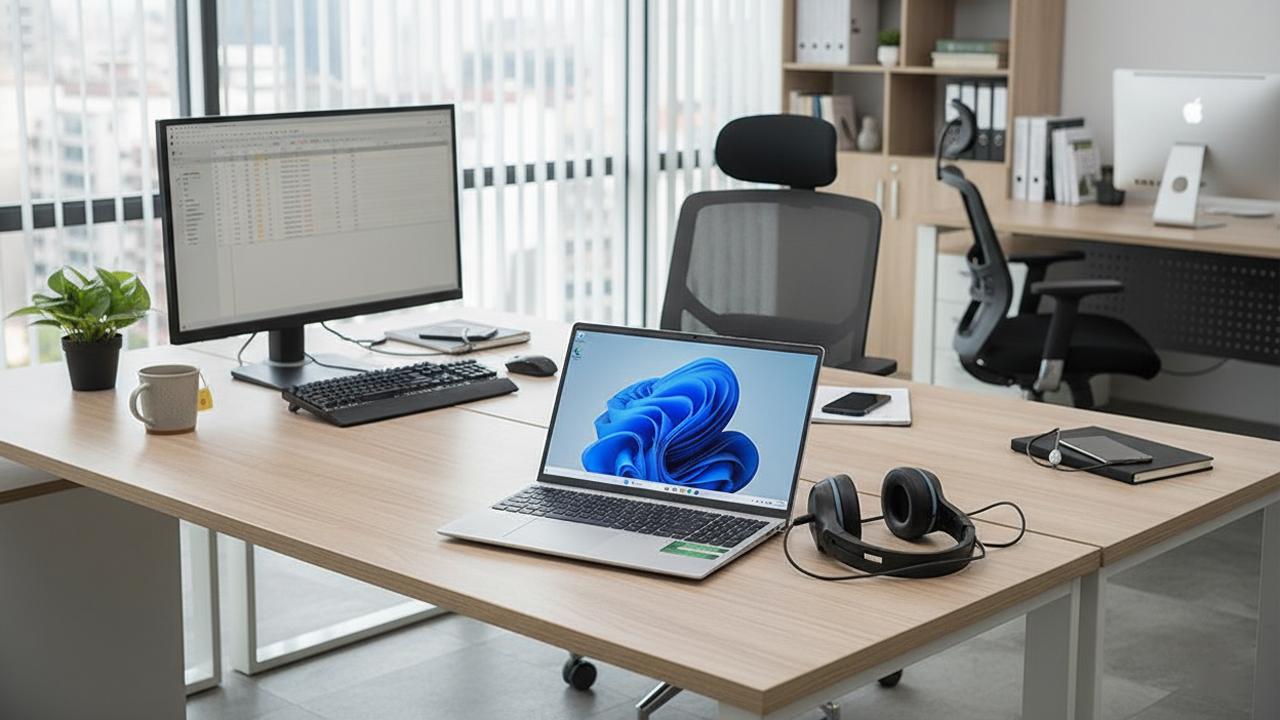
For example, a professional working from a laptop may benefit significantly from a good external monitor, keyboard, mouse and docking solution.
For an office, the right combination of computer, monitor, networking and accessories can make the entire workstation more practical and productive.
Don’t just plan the computer. Plan the working environment.
Does the Brand Matter?
There are many established computer brands available, including Apple, Dell, Lenovo, HP, ASUS, Acer, MSI and Microsoft Surface.
Different brands offer different product families, configurations and target markets.
Instead of asking:
“Which brand is the best?”
consider:
- Which model fits my workload?
- Does the configuration meet my requirements?
- What warranty is included?
- What support is available?
- Does it provide the connectivity I need?
- Can it be upgraded?
- Is it suitable for the expected usage period?
- Does it fit the budget?
The brand is important, but the specific model and configuration are equally important.
New Computer or Upgrade the Existing One?
Replacing a computer isn’t always the right answer.
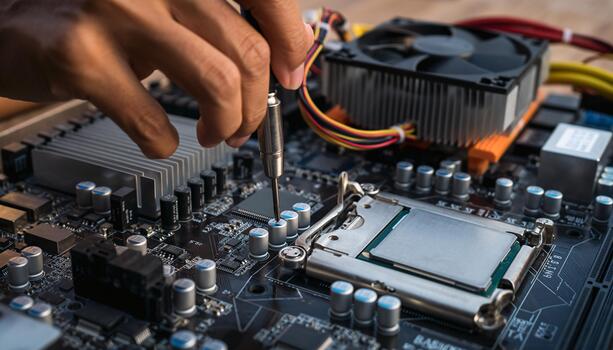
If an existing system is otherwise suitable, an upgrade may improve its usefulness.
Depending on the hardware, upgrades may include:
- RAM
- SSD
- Additional storage
- Battery
- Other compatible components
For example, a system that feels slow may have insufficient RAM, an ageing storage drive or a software-related issue.
Before replacing a computer, it can be worthwhile to determine whether the problem can be addressed through an upgrade or repair.
This can sometimes provide a practical way to extend the useful life of an existing system.
What About Refurbished Computers?
Refurbished computers can be useful in situations where budget is an important consideration.
However, price should not be the only factor.
Before buying a refurbished system, check:
- Hardware condition
- Battery condition
- Storage health
- Actual specifications
- Warranty
- Age of the system
- Availability of parts
- Expected remaining service life
A suitable refurbished business-grade computer can make sense for certain workloads, but it should be evaluated based on the requirement and expected usage.
Common Computer-Buying Mistakes
Buying only on price
The lowest initial price does not necessarily mean the lowest overall cost.
Choosing only by processor
The processor is important, but the entire configuration determines the experience.
Buying unnecessary performance
A high-end specification isn’t useful if your workload doesn’t need it.
Ignoring upgradeability
Future RAM or storage requirements may be different from today’s requirements.
Forgetting connectivity
Always check whether the computer supports the devices you already use.
Ignoring warranty and support
For a business, downtime can cost more than the difference between two computer configurations.
Buying only for today’s needs
If you expect to use the system for several years, consider foreseeable changes in your workload.
A Simple Guide to Choosing the Right Computer
| Requirement | What to prioritise |
|---|---|
| Home & everyday use | Reliability, value and ease of use |
| Student | Portability, battery life and overall performance |
| Office productivity | Reliability, performance and support |
| Accounting & business applications | Suitable RAM, SSD and business reliability |
| Programming | Processor performance, RAM and display |
| Creative work | CPU, RAM, display and GPU where required |
| CAD & engineering | High-performance CPU/GPU and suitable display |
| Gaming | Dedicated GPU, CPU, cooling and display |
| Business deployment | Standardisation, warranty, support and manageability |
These are general guidelines, not fixed specifications. The right configuration should always be based on the software and workload involved.
What to Look for in a Computer Store in Goa
When choosing a computer store in Goa, don’t look only at the products displayed.
Consider whether the store can also help with the complete requirement.
Look for support with:
- Requirement assessment
- Laptop and desktop selection
- Business IT procurement
- Custom PC configurations
- Computer accessories
- RAM and SSD upgrades
- Printers
- Networking
- Installation
- Repairs
- Ongoing technical support
For businesses, this can be particularly valuable.
The relationship shouldn’t necessarily end when the computer is sold.
How Simplatec Helps
Simplatec is a Goa-based technology partner providing computer hardware, laptops, desktops, accessories, IT procurement, upgrades, repairs, networking, security and related IT services.
Our approach is straightforward:
Understand → Recommend → Procure → Deploy → Support
We first understand how the computer will be used and then recommend a configuration based on the requirement.
Whether you are:
- Buying a laptop for yourself
- Setting up a home office
- Replacing an ageing desktop
- Equipping a new office
- Purchasing computers for a team
- Building a custom PC
- Upgrading an existing system
- Looking for accessories and peripherals
the objective remains the same:
Choose technology that makes sense for the work you need to do.
Final Checklist Before Buying
Before purchasing a laptop or desktop, review:
- ☐ Intended workload
- ☐ Laptop or desktop requirement
- ☐ Processor
- ☐ RAM and upgradeability
- ☐ SSD capacity
- ☐ Graphics requirements
- ☐ Display
- ☐ Ports and connectivity
- ☐ Battery requirements
- ☐ Operating system
- ☐ Warranty
- ☐ Accessories
- ☐ Software requirements
- ☐ Future requirements
- ☐ After-sales support
A good computer purchase isn’t about choosing the biggest specification sheet.
It is about choosing the right system for the person, workload and environment.
Looking for a Computer Store in Goa?
Whether you need a single laptop, a desktop for your home office, a workstation for professional use or computers for an entire organisation, the right recommendation starts with understanding your requirement.
Simplatec helps businesses and individuals in Goa with laptops, desktops, computer accessories, upgrades, repairs and IT solutions.
Need help choosing the right computer?
Get in touch with Simplatec for a requirement-based recommendation.