Printer Buying Guide: How to Choose the Right Printer for Home, Office and Business in Goa
Looking for the right printer for your home, office or business in Goa? Explore ink tank, inkjet and laser printers, compare printing costs and features, and learn how to choose the right model. Simplatec Computer Store – Dabolim helps you explore printer options from Epson, Canon and HP based on your requirements and availability.
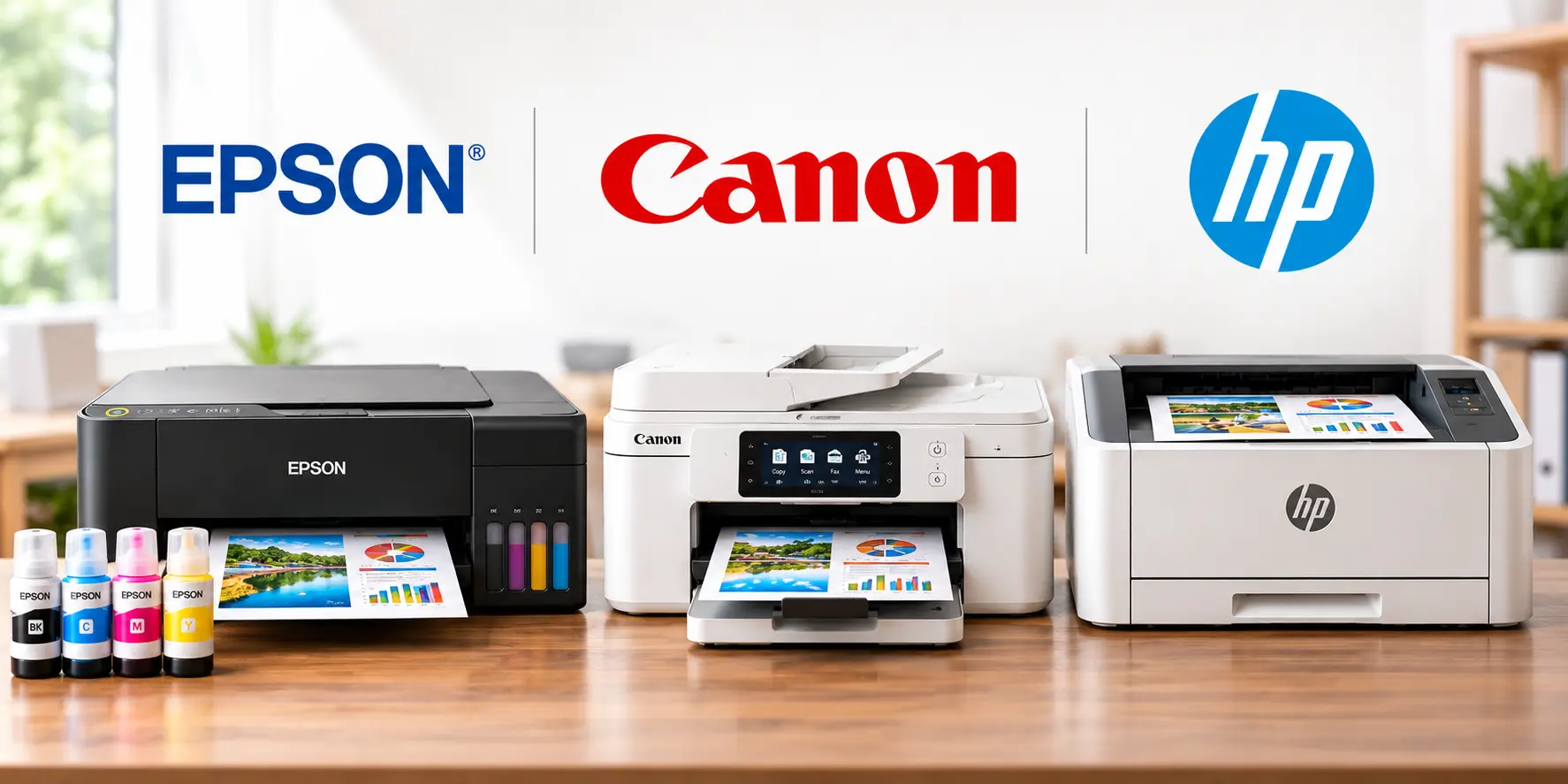
Choosing the right printer is about more than the purchase price. The type of printer you need depends on how often you print, whether you need colour or black-and-white output, the cost of ink or toner, and whether you require scanning, copying or wireless connectivity.
If you are looking for a printer for your home, office, school or business in Vasco Da Gama, Goa, this guide explains the main printer types, their advantages, running costs and the features worth considering before you buy.
At Simplatec Computer Store – Dabolim, we help customers explore printing solutions suited to their requirements, from everyday home printing to office and business document workflows.
1. Which Type of Printer Should You Choose?
Different printers are designed for different workloads. Understanding the main technologies will help you avoid spending too much upfront or choosing a printer that becomes expensive to operate.
Ink Tank Printers
Ink tank printers use refillable ink reservoirs instead of relying on small, frequently replaced ink cartridges. They are worth considering when you regularly print colour documents, school assignments, reports or other everyday materials.
Best suited for:
- Homes and students with regular printing requirements
- Small businesses printing colour documents
- Home offices that need printing, scanning and copying
- Users who want to manage recurring ink expenses
What to check: The printer’s supported ink bottles, estimated page yield, connectivity options and recommended monthly print volume. Actual running costs depend on the model and what you print.
Cartridge-Based Inkjet Printers
Cartridge-based inkjet printers are often compact and can suit users with modest printing needs. They can also be useful for colour documents and occasional photo printing.
Best suited for:
- Occasional home printing
- Students with limited printing requirements
- Users who prioritise a compact design and lower initial cost
Before buying, compare replacement cartridge prices and estimated page yields. A lower purchase price does not necessarily mean a lower long-term cost.
Monochrome Laser Printers
Monochrome laser printers use toner and are designed for black-and-white document printing. They are particularly useful when offices print invoices, reports, forms and other text-heavy documents regularly.
Best suited for:
- Offices with frequent document printing
- Shops and businesses printing invoices and records
- Professional users who need crisp text output
- Workplaces that rarely need colour printing
Check print speed, toner yield, replacement consumable costs, paper capacity and whether the model supports automatic two-sided printing.
Colour Laser Printers
Colour laser printers are suitable for workplaces that need regular colour documents alongside black-and-white printing. Depending on the model, they can offer useful productivity features for business environments.
Best suited for:
- Offices printing colour reports and presentations
- Businesses producing regular colour documents
- Teams that need a combination of speed and document quality
Compare the cost of all required toner cartridges, not just the black toner. Also check whether the printer’s speed, paper handling and features match your workload.
2. Ink Tank vs Laser Printer: Which Is Better?
There is no single winner for every user. Your printing volume and the type of documents you produce should determine the choice.
| Requirement | Printer type to consider |
|---|---|
| Regular colour printing at home | Ink tank |
| School assignments and colour documents | Ink tank or cartridge inkjet |
| Frequent black-and-white office documents | Monochrome laser |
| Regular colour business documents | Colour laser or ink tank |
| Occasional printing on a limited budget | Cartridge inkjet |
| Printing, scanning and copying in one device | Multifunction model suited to your workload |
Important: Do not choose based on cost per page alone. Consider the purchase price, genuine ink or toner costs, expected print volume, maintenance requirements and warranty.
3. Single-Function or All-in-One Printer?
A single-function printer handles printing only. An all-in-one or multifunction printer typically combines printing with scanning and copying; some models also offer fax functionality.
Choose a single-function printer if you already have a scanner or copier and want to keep the printer setup simple.
Choose a multifunction printer if you frequently scan identity documents, copy paperwork, digitise invoices or handle several office tasks from one device.
For small businesses, a multifunction printer can reduce the need for separate devices. If several employees share it, consider wireless or network connectivity, paper capacity and the number of users.
4. Important Printer Features to Check Before Buying
Printer specifications can look similar at first glance, but a few details can make a substantial difference to everyday use.
Wi-Fi and Mobile Printing
Wireless printing allows compatible devices to print without a direct USB connection. Check whether the printer supports your network requirements and the operating systems or mobile printing applications you use.
Automatic Duplex Printing
Automatic duplex printing prints on both sides of the paper without requiring you to turn the pages manually. It can help reduce paper consumption when printing reports and longer documents.
Automatic Document Feeder
An automatic document feeder (ADF) can feed multiple pages for scanning or copying. It is particularly useful for offices that regularly digitise multi-page documents. Check whether the ADF supports single-sided or duplex scanning.
Print Speed and Paper Capacity
Print speed is commonly expressed in pages per minute (ppm). Compare the manufacturer’s rated speed with your actual workload and document type.
For a busy office, also check input tray capacity, output capacity and recommended monthly print volume.
Connectivity and Compatibility
Confirm the available USB, Ethernet or Wi-Fi connections, as applicable. For a shared office printer, network compatibility and straightforward driver installation can be just as important as print quality.
5. How Much Does a Printer Really Cost?
The total cost of ownership includes more than the price paid at the time of purchase.
Consider these factors before making a decision:
- Initial purchase price: The amount paid for the printer.
- Ink or toner: The cost and expected yield of replacement consumables.
- Paper: Your typical monthly paper consumption.
- Maintenance: Potential servicing, replacement parts and upkeep.
- Usage: How many pages you expect to print each month.
- Features: Whether Wi-Fi, duplex printing, scanning or an ADF will save time in your workflow.
For example, a low-cost cartridge printer may be suitable for occasional printing, while an ink tank or laser printer may be more appropriate for regular workloads. The right choice depends on actual usage and model-specific costs.
Before purchasing, estimate your monthly print volume and ask for a comparison of the printer’s purchase price and recurring consumable expenses.
6. Which Printer Is Right for Your Home, Office or Business?
For Home Users and Students
Look for a printer that matches your schoolwork, personal documents and colour printing requirements. An ink tank model may suit regular colour printing, while a basic cartridge printer may be sufficient for occasional use.
For Small Businesses and Shops
Businesses that print invoices, quotations, bills and routine records should compare monochrome laser and ink tank models. Consider how many pages you print, whether colour is necessary and how the printer will connect to your billing or office computers.
For Offices and Professional Workplaces
Consider print speed, network connectivity, duplex printing, paper capacity and scanning requirements. If multiple employees share the printer, an appropriate multifunction model may improve workflow.
For Schools and Educational Institutions
Compare monthly print volume, consumable availability, paper handling and the cost of printing large quantities of documents. The right choice may differ between a classroom, an administrative office and a computer lab.
For High-Volume Printing
If your workload is substantial, assess the manufacturer’s recommended monthly print volume, duty cycle, consumable yield and service requirements. Businesses with demanding workloads may also benefit from evaluating departmental printers or managed printing solutions.
7. Epson, Canon or HP: Which Printer Brand Should You Choose?
Epson, Canon and HP offer printer ranges for different needs. The best choice depends on the particular model rather than the brand name alone.
When comparing models, consider:
- Whether you need ink tank, cartridge inkjet or laser technology
- The cost and availability of compatible genuine consumables
- Print quality for your documents and images
- Connectivity and multifunction features
- Warranty, service arrangements and support
- Expected running costs based on your monthly usage
Do not assume that every printer from one brand is better than every printer from another. Compare the specifications and total ownership cost of the specific models you are considering.
8. Printer Sales and Support in Vasco Da Gama, Goa
Choosing a printer is easier when you understand your requirements before purchasing. Simplatec Computer Store – Dabolim assists customers looking for computer products and printing solutions for home, office and business use.
We can help you explore suitable options across Epson, Canon and HP, depending on model availability and your requirements.
Whether you need a printer for home use, an office multifunction printer or a solution for regular business document printing, share your requirements so the right options can be considered.
Our store is located near Satyam Hardware & Sanitary, Chicalim, Dabolim, Vasco Da Gama, Goa 403711.
Need help choosing a printer?
Visit Simplatec’s website or submit your requirements through our Get a Quote page. Include your intended usage, approximate monthly print volume, colour requirements and budget so we can help identify suitable options.
Frequently Asked Questions
Which printer is best for home use?
The best printer depends on how often you print. A cartridge-based inkjet can suit occasional printing, while an ink tank printer may be worth considering for regular colour printing. Compare consumable costs and features before buying.
Is an ink tank printer better than a laser printer?
Neither is universally better. Ink tank printers are worth considering for regular colour printing, while monochrome laser printers are often suitable for frequent black-and-white documents. Your workload and model-specific running costs should determine the choice.
Which printer is suitable for a small business?
A small business should consider its monthly print volume, whether colour is necessary, and whether scanning and copying are required. A monochrome laser printer may suit document-heavy work, while an ink tank or colour laser model may suit colour-intensive requirements.
Should I buy a Wi-Fi printer?
A Wi-Fi printer is useful when you want compatible laptops, desktops or mobile devices to print over a wireless network. If the printer will be shared across an office, also check network compatibility and security features.
How can I reduce printer running costs?
Choose a printer that matches your expected monthly volume, compare genuine ink or toner costs, use duplex printing when appropriate and avoid paying for features you do not need. Check model-specific page yields rather than relying solely on advertised savings.
Where can I enquire about printers in Vasco Da Gama, Goa?
You can contact Simplatec Computer Store – Dabolim, located in Chicalim, Dabolim, Vasco Da Gama, Goa. Submit your requirements through our Get a Quote page to enquire about suitable printer options and availability.
Choose the Right Printer for Your Needs
The right printer should fit your workload, budget and long-term running costs. Before purchasing, compare printer technology, genuine consumables, connectivity and the features you will actually use.
Looking for a printer in Vasco Da Gama or nearby areas in Goa? Contact Simplatec Computer Store – Dabolim to discuss your requirements and explore suitable printer options.