IT Planning
How to budget IT for a new office in Goa
A practical framework for scoping workstations, network and security spend before you sign the lease — including the costs most first-time buyers miss until it’s too late to plan for them.
8 min read
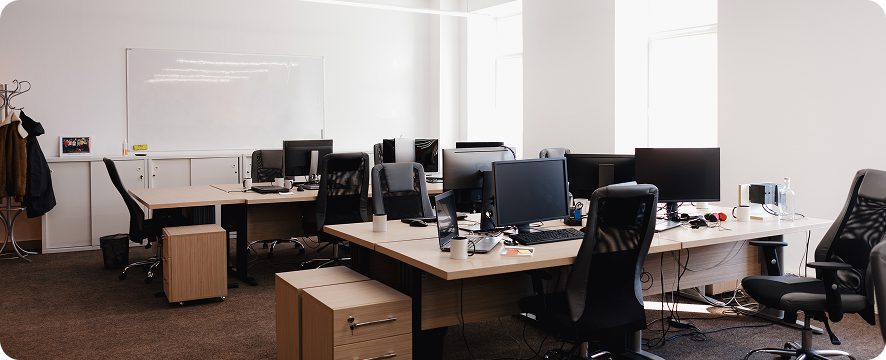
Most offices get budgeted room by room — desks, chairs, the coffee machine — and IT gets whatever’s left. That’s usually the moment the numbers stop working, because the IT bill isn’t one line. It’s four, and three of them only appear once you’re already committed to the space.
This is the order we’d walk through it with you across the counter. It’s not a quote — it’s a way to think about the spend so nothing surprises you in week three. If you’d rather just have it scoped properly, that’s what we do, and there’s no charge for the conversation.
Start with the floor plan, not the headcount
Headcount tells you how many laptops. The floor plan tells you almost everything else — how much cabling, how many access points, where the rack goes, whether you need a UPS large enough to matter. Two offices with twenty people each can differ by several lakh on infrastructure alone, purely because of walls.
Before anything else, get a copy of the layout and mark three things:
- Where the incoming line lands. That’s where your rack wants to live, and moving it later is expensive.
- Which walls are solid. Concrete and Wi-Fi have a difficult relationship; you’ll pay for it in extra access points.
- Where people actually sit. Not where the desks are drawn — where the work happens.
Structured cabling is the one item you cannot cheaply retrofit once the false ceiling is up and the furniture is in. If the budget is tight everywhere, this is the last place to cut.
The four buckets
Every office IT budget we’ve scoped falls into the same four groups. The ratio shifts by sector — a design studio buys differently from a back office — but the buckets don’t change.
1. Endpoints
Laptops, desktops, monitors, docks. The visible spend, and the one everyone estimates first. It’s also the one that’s easiest to get right, because the requirement is knowable: what does each person actually run?
2. Infrastructure
Cabling, switching, Wi-Fi, the rack, power protection. Invisible until it fails, and then it’s the only thing anyone talks about.
3. Security
Firewall, endpoint protection, backup. Frequently deferred to “phase two.” Phase two arrives the first time something goes wrong.
4. Licensing and ongoing
Microsoft 365 or Google Workspace, antivirus renewals, AMC. This is the bucket that catches people out, because it isn’t capital spend — it recurs, every year, forever.
"The cheapest quote and the lowest cost of ownership are almost never the same document."
What people forget
In rough order of how often we see it missed:
- Power protection. A UPS sized for the rack, not just for the server.
- The spare. One extra laptop for the day someone’s machine dies. Cheaper than a day of downtime.
- Installation time. The hardware arrives in a box. Someone has to deploy it.
- Year two. Renewals, warranty, AMC. The budget that only exists if you write it down now.
A sensible sequence
If you’re starting from zero, this order avoids the most rework: floor plan → cabling and network → power → endpoints → security → licensing. Security appearing fifth doesn’t make it least important; it means you need to know the shape of the network before you can protect it properly.
And if you’re not sure where you land on any of this — that’s normal, and it’s the conversation we have most weeks. Ask us. We’d rather talk you through it than sell you something you didn’t need.
IT Planning
Procurement
Networking
New office
Goa
Related reading
IT Planning
How to budget IT for a new office in Goa
A practical framework for scoping workstations, network and security spend before you sign the lease.
8 min read

Cybersecurity
Firewall or antivirus — what does a small of...
Where endpoint protection stops being enough, and what changes when you have more than ten people.
8 min read

Networking
Structured cabling vs Wi-Fi-first: choosing f...
Why the answer usually depends on your walls, not your budget.